If you would like an email account, please click the button below. Fill out the form with your desired Username (your email address will be <username>@cerentano.com) and your current email address. After your account is set up, you will be sent a password. Once you log in to your email you can then change your password by choosing 'Settings'. You must log in from the website in order to change your password. It can't be done in Outlook Express. Don't forget to make the password change in Outlook Express if you've already set it up using the old password.
You can log in to check your email from the site or retrieve your email using a desktop client such as Outlook Express or Thunderbird.
Scroll down for instructions on setting up Outlook Express. Contact Support for help setting up other mail clients.
You can log in to check your email from the site or retrieve your email using a desktop client such as Outlook Express or Thunderbird.
Scroll down for instructions on setting up Outlook Express. Contact Support for help setting up other mail clients.

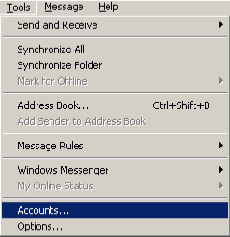
Instructions for setting up Outlook Express to retrieve your mail:
1. Open Outlook Express and click Tools and choose Accounts.
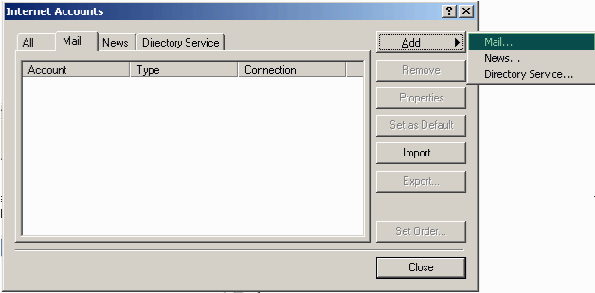
2. Select the Mail tab. Click Add and choose Mail....
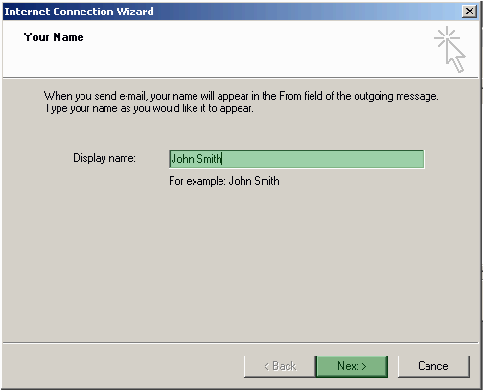
3. Enter a Display Name and click Next
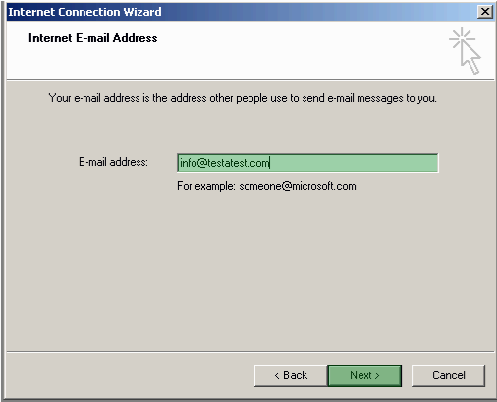
4. Enter the e-mail address and click Next.
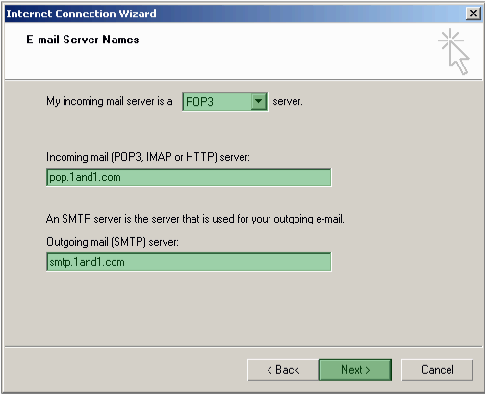
5. Choose POP3 and enter the following:Incoming mail: pop.1and1.comOutgoing mail: smtp.1and1.comand click Next.
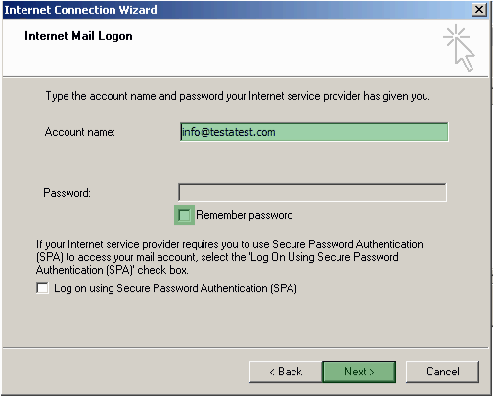
6. Enter the e-mail address. If you want the system to remember the password, check the box near Remember Password and enter the password. Click Next.(Note: Make sure the box near "Log on using Secure Password Authentication (SPA)" is Unchecked)
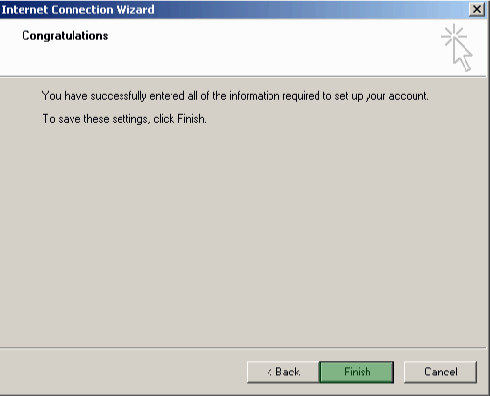
7. Click Finish.
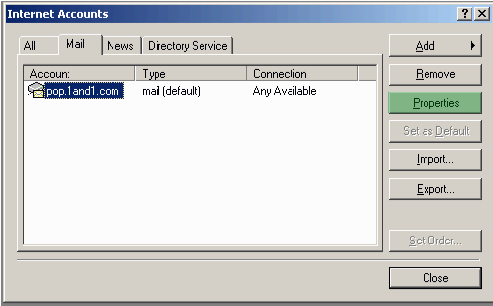
8. Now highlight the account and click on Properties.
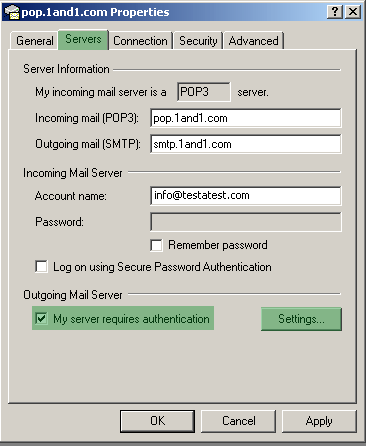
9. Choose the Servers tab. Check My server requires authentication. Click Settings.
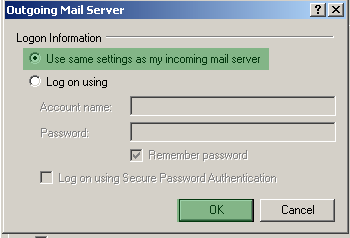
10. Choose Use same settings as my incoming mail server and click OK.
Click Apply and OK and close the Internet Accounts window.